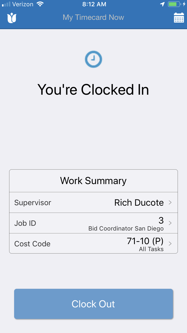
Step 1: Open your Zurel Pro app and the screen should look like this
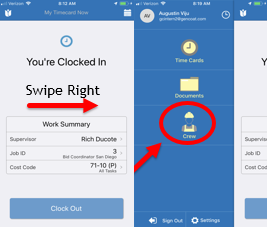
Step 2: Swipe right and then select crew. After selecting crew click on the plus symbol to add the employee to the crew
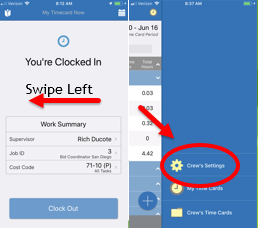
Step 3: Return to the home screen, swipe left and then select "Crew's settings"
Step 4: Search for the employee and select him/her
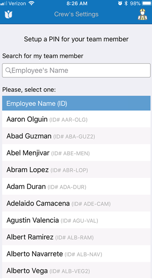
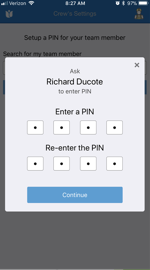
Step 5: Hand the phone over to the employee and have them insert their pin
Comments
0 comments
Please sign in to leave a comment.